
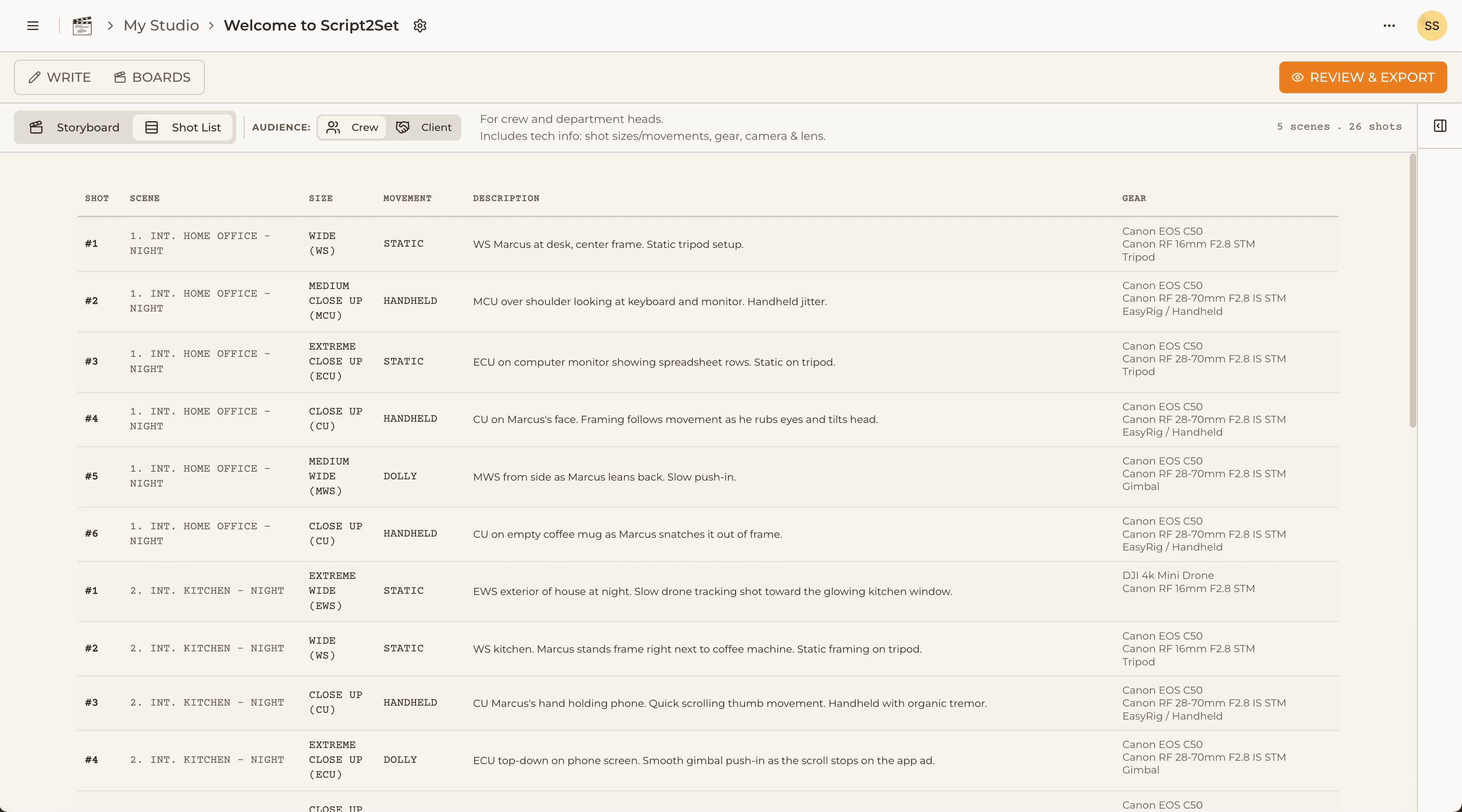
The shot list is one of the most important documents in a film production — and one of the most painful to create. For indie filmmakers working without a full pre-production team, building a shot list often means hours in a spreadsheet, manually entering shot sizes, descriptions, gear notes, and scene numbers for every single setup. It's the kind of work that feels necessary but creatively deadening.
The good news is that the software options for shot listing have improved significantly in the last few years, especially with AI-assisted tools entering the market. The bad news is that most of them were built for large productions with dedicated pre-production departments, not for the solo director prepping a short film at midnight. Here's a practical rundown of the current options, who they're built for, and where they fall short.
What Makes a Good Shot List Tool for Indie Filmmakers
Before evaluating the tools, it's worth being precise about what indie filmmakers actually need from shot list software, because it's different from what a feature-film production company needs.
Indie filmmakers need: fast script-to-shot-list conversion (you don't have time to enter every shot manually), a clean visual output that your crew can actually read on set, some kind of storyboard integration so the visual and logistical information lives in the same place, and a price point that makes sense when you're self-funding a short film.
What indie filmmakers don't need: full production management, call sheets, budgeting, contract management, and the other features that large-scale production software bundles in to justify enterprise pricing.
StudioBinder
StudioBinder is the most feature-complete production management platform available at the indie price point, and it's genuinely useful for productions that need call sheets, breakdowns, and scheduling in addition to shot lists. The shot list tool is functional and exports to clean PDFs.
The limitations for indie filmmakers are meaningful though. StudioBinder is a production management tool that includes shot listing — not a shot list tool with production management as a bonus. The interface is dense, the learning curve is real, and for a director who just wants to break down a short film script and sketch some frames, it's significantly more software than necessary. There's also no storyboard canvas — shot lists and visual development are separate workflows. Pricing starts at around $29/month.
Celtx
Celtx started as screenwriting software and has expanded into a full production suite over the years. It has shot listing features, breakdown sheets, and scheduling tools. Like StudioBinder, it's designed for productions that need the full stack — and like StudioBinder, that breadth comes at the cost of simplicity for users who only need part of it.
For indie filmmakers who are also writing their scripts in the same tool, Celtx's integrated workflow from script to breakdown to shot list has real appeal. For filmmakers who write in Final Draft or Highland and just need a shot list tool, the overhead isn't worth it.
Spreadsheets (Google Sheets / Excel)
Honest inclusion: for a lot of indie filmmakers, a well-structured spreadsheet is still the most practical shot list tool. You control every column, it costs nothing, and your crew can access it anywhere. The limitation is everything you have to do manually — no script parsing, no AI assistance, no storyboard integration, no formatted PDF export that looks professional.
The time cost of building and maintaining a production-quality shot list spreadsheet from scratch on every project adds up. For a 10-page short, it might be two or three hours. For a 20-page short with multiple locations and complex coverage, it can easily be a full day.
Shot Designer
Shot Designer is a specialized tool for visual pre-production — top-down floor plan diagrams, camera placement, lens visualization, and blocking. It's genuinely excellent for DPs who think spatially and want to plan camera placement precisely before they step onto set. It's not a shot list tool in the traditional sense — it's more of a technical pre-visualization tool. Useful as a complement to a shot list workflow, not a replacement for it.
Script2Set
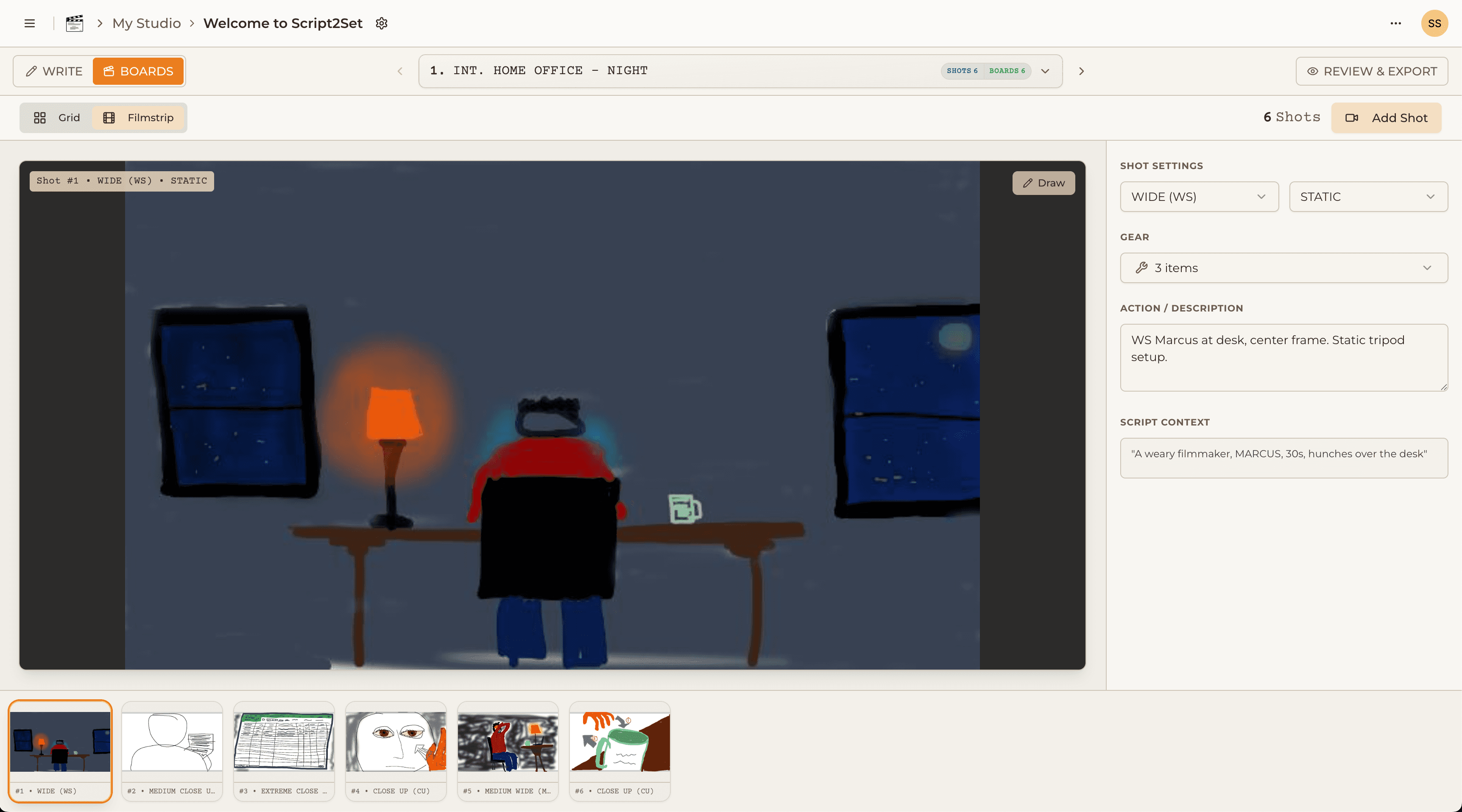
Script2Set was built specifically for the workflow that most of these tools handle partially or not at all: start with the script, generate the shot list, build the storyboard, export the production documents, all in one place.
The AI shot list generator takes your script and asks you about your project type (narrative, documentary, commercial, music video), your genre, your gear, and any creative direction. It generates a first-draft shot list with shot sizes, setups, and gear needs already populated — not a perfect list, but a strong starting point that takes minutes instead of hours. You edit, reorder, and refine from there.
The storyboard canvas lives directly on each shot card. You don't switch to a different tool to sketch your frames — you open the card, draw what's in your head, add blocking notes, and move on. Three views (list, grid, filmstrip) let you see your production however makes sense for the work you're doing in that moment.
The final export generates branded PDFs — shot lists your crew will want to read, gear manifests your rental house can actually use. It's designed for the solo director who wants to walk onto set looking like they had a full pre-production team.
Script2Set is currently in early access. The Founding Crew offer gives waitlist members lifetime access at a one-time price before public launch.
The Bottom Line
For indie filmmakers who need the full stack — script breakdown, shot list, storyboard, and gear manifest — in one tool at an accessible price, the current market is surprisingly underserved. StudioBinder and Celtx do more than most indie productions need and charge accordingly. Spreadsheets are free but manual. Dedicated storyboard tools like Boords don't have shot lists. Script2Set was built to fill exactly this gap.